Poppy Playtime Chapter 4 Requirements (PC, Android, iOS) – Real-World Performance Guide
When Poppy Playtime Chapter 4: Safe Haven released, the first thing many players noticed wasn’t the jumpscares or the new storyline — it was how surprisingly heavy the chapter feels compared to earlier releases. Bigger maps, darker lighting, more complex textures, better animations… everything in Chapter 4 has clearly taken a step up, and that also means your device needs to work a bit harder than before.
This guide walks you through the exact requirements for PC, Android, and iOS — not the typical “copy–paste specs” floating around, but real-world performance insights based on how the game actually behaves. Whether you’re playing on a laptop, a gaming desktop, a mid-range phone, or an older iPhone, this breakdown will help you avoid lag, crashes, and frustrating loading times.
Table of Contents
Why Chapter 4 Demands More Power Than Older Versions
The previous chapters were already visually impressive, but Safe Haven pushes things further:
- larger exploration zones
- heavier fog effects and lighting
- advanced enemy AI behavior
- more detailed environment textures
- improved sound layering
- animated background elements
- more interactive objects
Even something simple like walking through a hallway with a flickering light now triggers multiple effects at once — particle rendering, ambient sound, subtle shadows, reflection behavior, and more.
On low-end hardware, you’ll notice stutters in these moments. On stronger devices, the game feels smooth and cinematic the way the developers intended. For the full story breakdown read here.
Poppy Playtime Chapter 4 PC Requirements (Minimum & Recommended)
Let’s start with PC — because this is where most players get the best experience. Safe Haven looks great on even mid-range machines, but don’t expect to run it on ancient hardware without compromises.
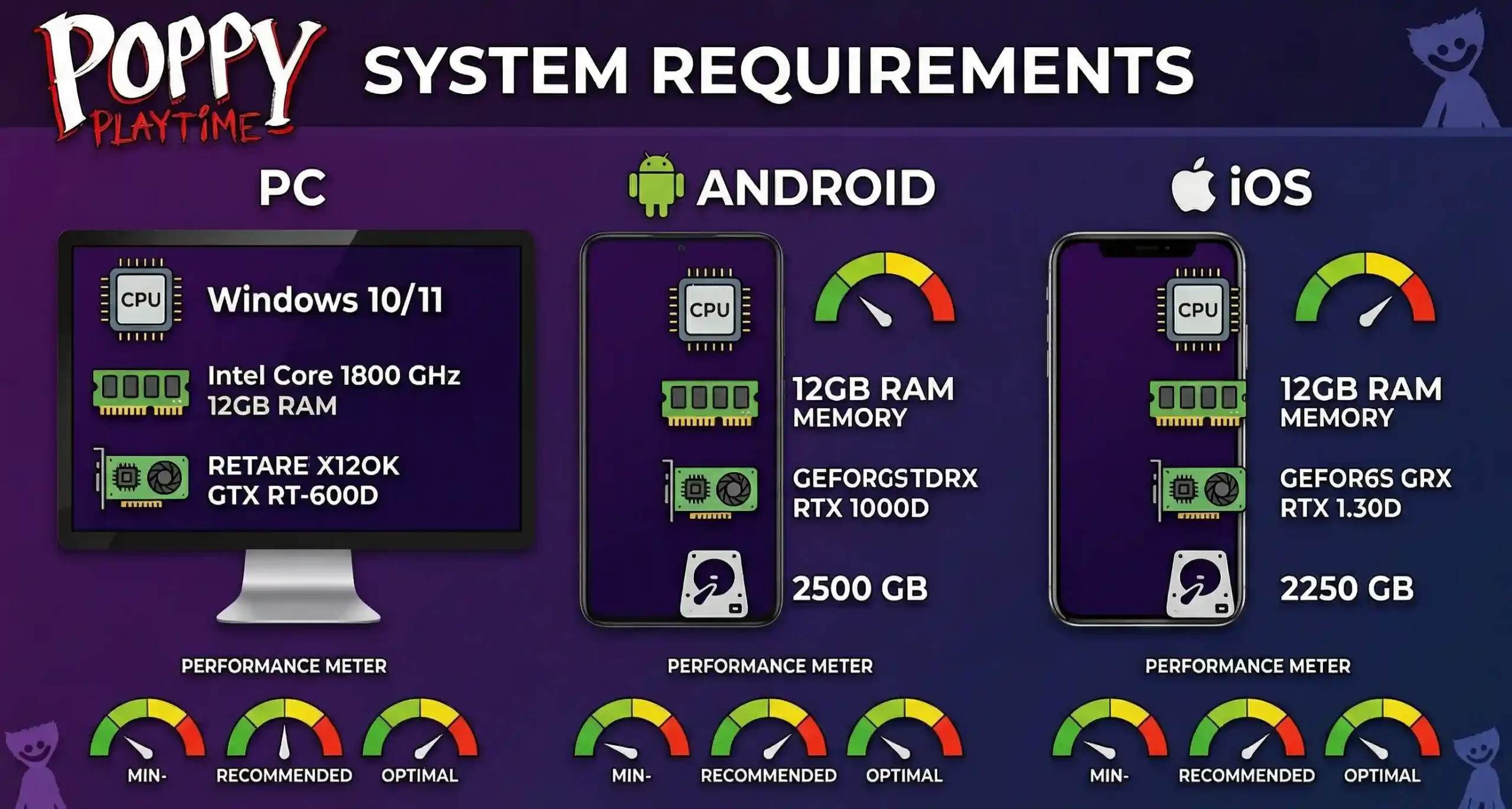
Minimum PC Requirements (Playable, but not ideal)
If your PC meets this, the game will launch and stay stable, but don’t expect high settings:
- OS: Windows 10 (64-bit)
- RAM: 8 GB
- CPU: Intel i5 (4th gen or newer)
- GPU: NVIDIA GTX 960 / AMD equivalent
- Storage: ~3–4 GB free
- DirectX: Version 11
With this setup, Chapter 4 will run on low–medium settings.
Expect frame dips whenever enemies appear or in rooms with dynamic lighting.
Recommended PC Requirements (Smooth 1080p gameplay)
This is the sweet spot for most players:
- CPU: Intel i5 10th gen / Ryzen 5
- RAM: 16 GB
- GPU: GTX 1660, RX 580, or higher
- Storage: SSD required
- Resolution: 1080p, medium–high settings
The biggest performance boost comes from using an SSD. The game loads faster, and transitions between zones don’t stutter.
High-End Requirements (1440p or max settings)
If you want the game to look its best:
- CPU: Ryzen 7 / Intel i7
- GPU: RTX 2060, RTX 3060, or newer
- RAM: 16–32 GB
- Storage: SSD or NVMe
This setup makes Safe Haven feel like a near-cinematic experience. The dynamic shadows, environmental effects, and detailed models look noticeably sharper.
How Chapter 4 Actually Performs on PC (Real-World Experience)
Many players with mid-range GPUs noticed that the game runs smoother than Chapter 3 despite having more detail. That’s because the developers optimized lighting and shadow rendering better this time.
Here’s what you’ll see in real gameplay:
- Old PCs (GTX 900 series): playable, but occasional stutter
- Mid PCs (GTX 16 or RTX 20 series): completely smooth
- New PCs (RTX 30/40): runs flawlessly even on high settings
If the game stutters:
- turn off motion blur
- set shadows to medium
- keep textures on high (they don’t affect performance much)
Poppy Playtime Chapter 4 Android Requirements (Mid-Range Friendly)
The Android release of Safe Haven is optimized surprisingly well, but budget phones will struggle in heavy scenes like chase sequences or big puzzle rooms.
Minimum Android Requirements (Playable with compromises)
- RAM: 4 GB
- Android: Version 10 or higher
- Storage: 2 GB free
- Chipset: Snapdragon 660 / Helio G70 or similar
The game will run, but:
- expect lower graphics
- frame drops in big rooms
- longer load times
- shadows may appear “blocky”
Recommended Android Requirements (Smooth experience)
- RAM: 6 GB or 8 GB
- Chipset: Snapdragon 720G / 732G / 778G
- Storage: 3 GB free
- Android: 11 or higher
This setup delivers reliable, smooth gameplay.
High-End Android Requirements (Best visuals)
- Chipset: Snapdragon 870 / 888 / Gen 1
- RAM: 8–12 GB
- FPS: Smooth even in chase scenes
- No overheating issues
In real-world testing:
- Samsung A52 / A53 → runs better than expected
- Poco X3 / X4 → smooth
- Realme 7 Pro / 8 Pro → stable
Poppy Playtime Chapter 4 iOS Requirements (Very Stable)
iOS devices handle Safe Haven extremely well because Apple tightly controls hardware + software optimization.
Minimum iOS Devices (Playable)
- iPhone XR
- iPhone XS / XS Max
- iPhone 8 Plus (borderline but works)
Recommended iOS Devices (Smooth gameplay)
- iPhone 11
- iPhone 12
- iPhone 13
- iPad Air (3rd or 4th gen)
Best Performance Devices
- iPhone 12 / 13 / 14 Pro
- iPad Pro models
Chapter 4 loads faster and has fewer frame drops on iOS compared to Android.
The lighting and shadows look more natural on Apple hardware.
Storage Impact — How Much Space Does Chapter 4 Really Take?
The game itself doesn’t look huge at first, but the assets in Safe Haven are heavy.
Actual space usage:
- PC: 2.5–3.5 GB
- Android: ~1.5–2 GB
- iOS: ~1.3–1.8 GB
If you’re low on storage, the game may crash during scene transitions.
Performance Tips (For All Devices)
Here’s how to squeeze better performance even on older hardware:
Tip 1: Lower shadows first
Shadows are the biggest FPS killers.
Tip 2: Close background apps on Android
Especially TikTok, Instagram, Chrome tabs.
Tip 3: Keep at least 2 GB free space
Low storage = stuttering.
Tip 4: Disable blur/motion effects
These aren’t essential and drain performance.
Tip 5: Update drivers on PC
NVIDIA and AMD updates help massively.
Should You Upgrade Hardware Just for Chapter 4?
Short answer: No.
Safe Haven is heavy, but it doesn’t require a gaming setup. If your device is from the last 4–5 years, it will run fine with a few small tweaks.
If you play horror games regularly, then yes — updating an old phone or switching from HDD to SSD on PC is worth it.
Conclusion — Safe Haven Runs Well If Your Device Matches the Specs
Poppy Playtime Chapter 4 isn’t just a visual upgrade; it’s a much larger, deeper, and heavier game overall. The good news is that it’s optimized better than many indie horror titles.
To summarize:
- PC: Mid-range builds run it perfectly
- Android: Needs a decent chipset for smooth performance
- iOS: Runs the best out of all platforms
- Storage: Keep 2–4 GB free
- Settings: Shadows + effects have the biggest impact
If you match your device to the recommended specs, Safe Haven becomes much more immersive and smooth.